By leveraging n8n’s extensible automation platform, you can create AI agents that act as automated workers to do a myriad of tasks in a fraction of the time it would take to code it by hand.
It is simple to use and has literally thousands of applications.
I recently built a workflow in n8n that takes a raw feed of food industry news and uses AI to instantly categorize it by location and sentiment using an intuitive drag and drop dashboard and prompts for the AI Agent.
Here is how I turned a RSS feed into a structured data asset.
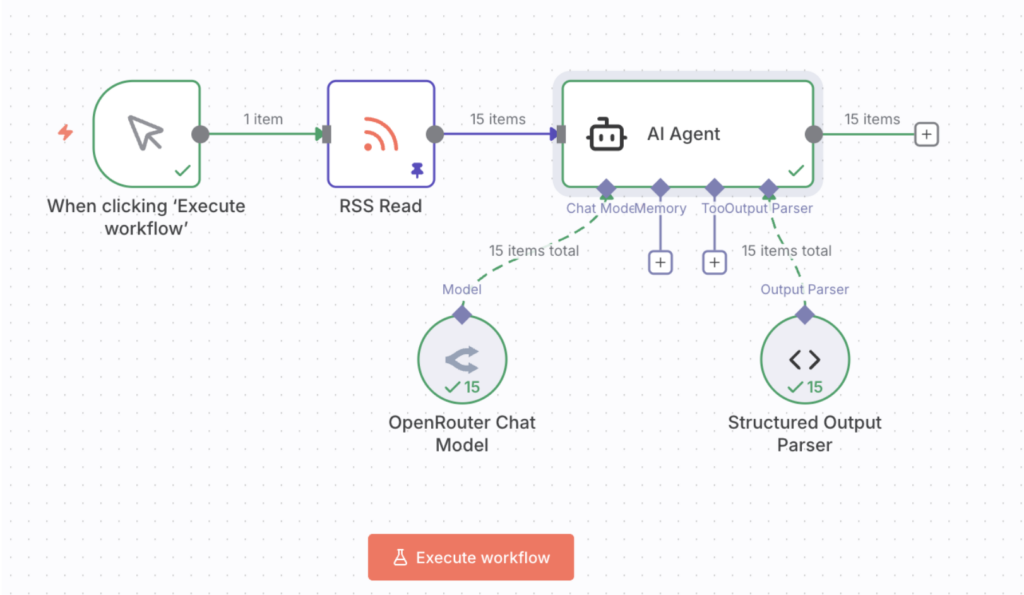
The Workflow Dashboard
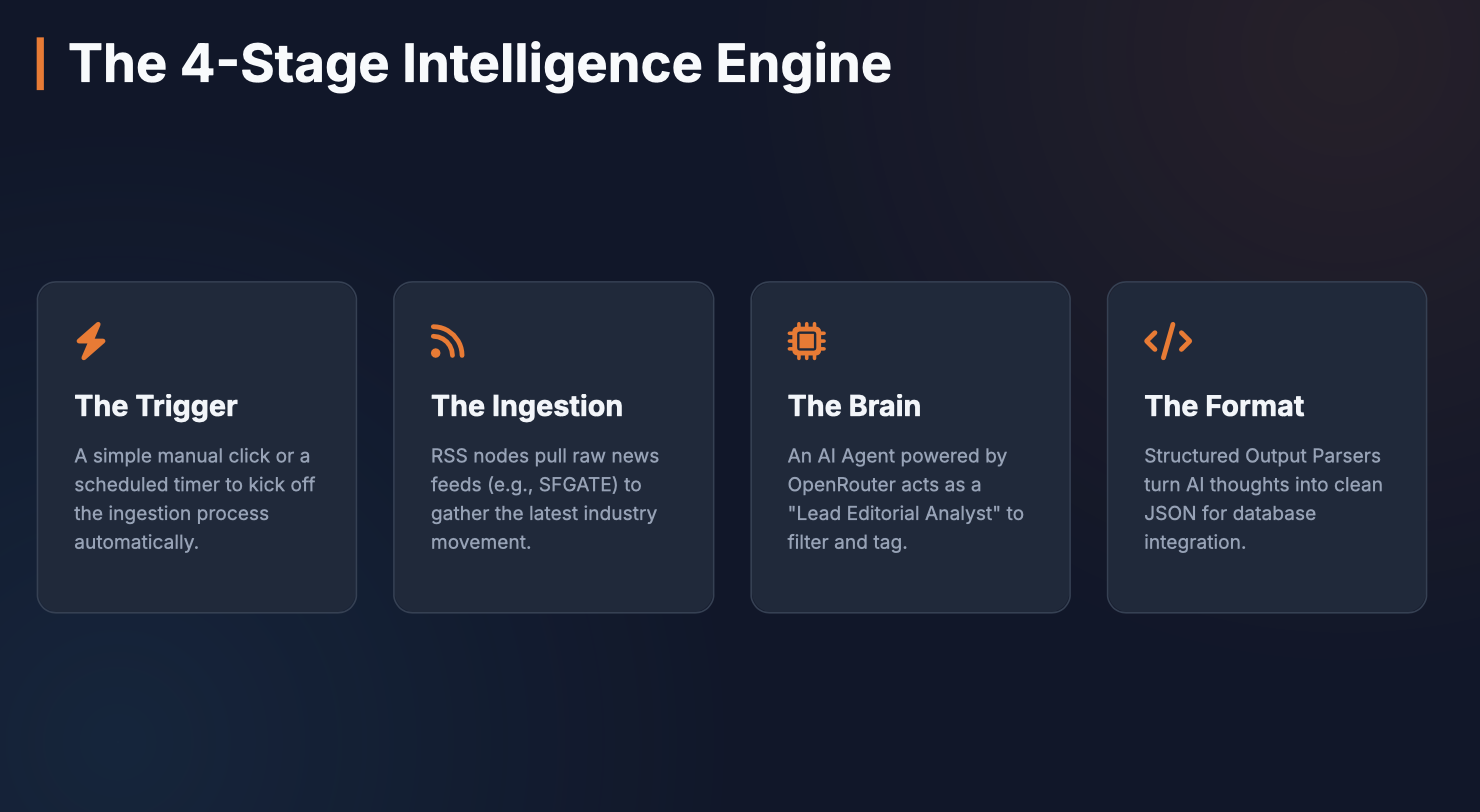
The beauty of n8n is its visual clarity. You can see the data move from “unstructured noise” to “business intelligence” in four distinct stages:
- The Trigger: It starts with a simple click (or a scheduled timer).
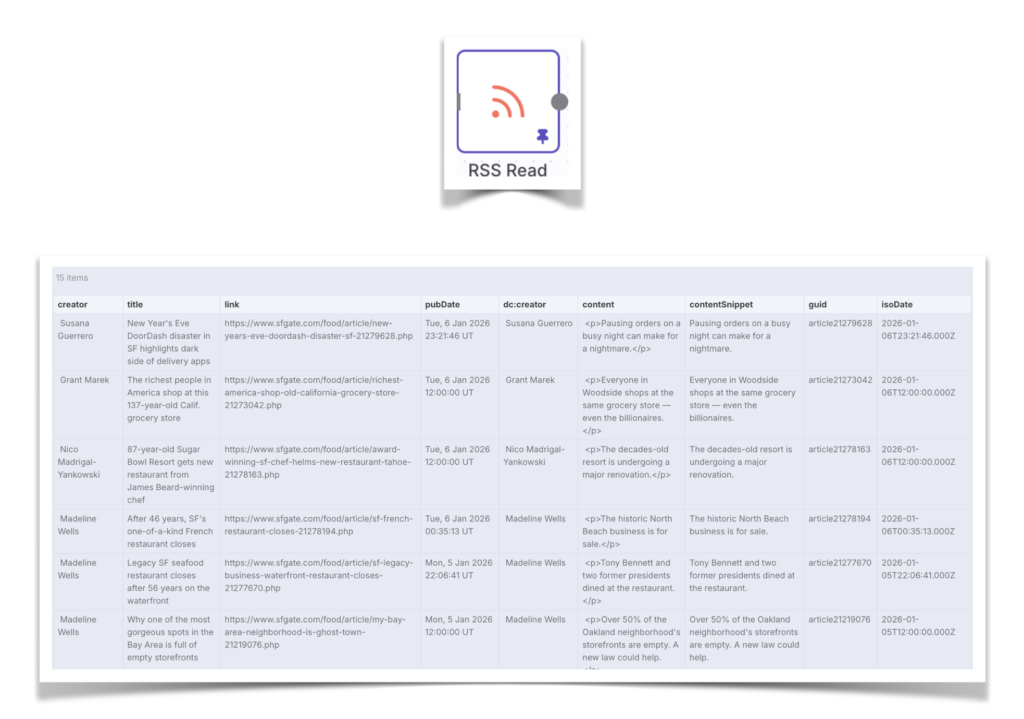
- The Ingestion: An RSS node pulls in the latest 15 articles from a news source—in this case, food and restaurant news from SFGATE.
- The Brain (AI Agent): This is where the magic happens. An AI Agent, powered by the OpenRouter Chat Model (any LLM will do), acts as a “Lead Editorial Analyst”.
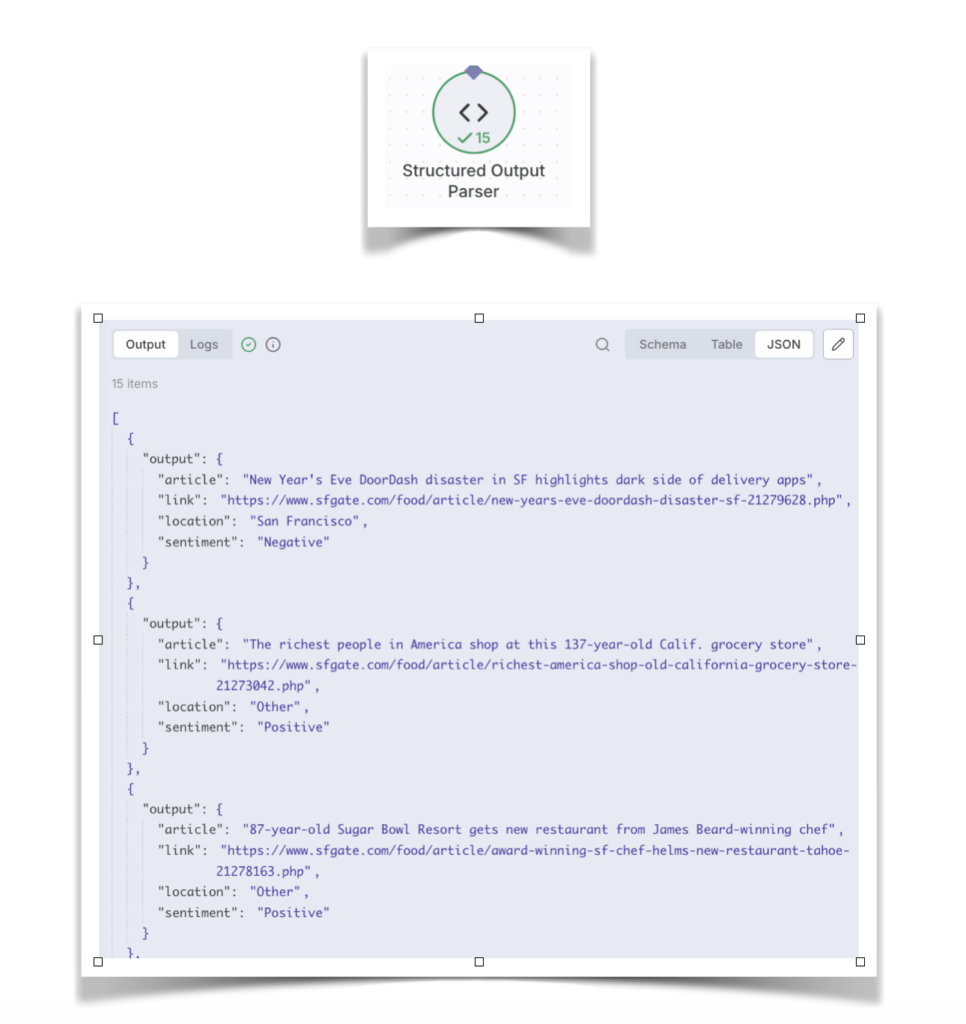
- The Formatting: A Structured Output Parser ensures the AI’s thoughts are turned into clean JSON data that can be plugged into a database or a dashboard.
Teaching the AI to Think Like an Editor
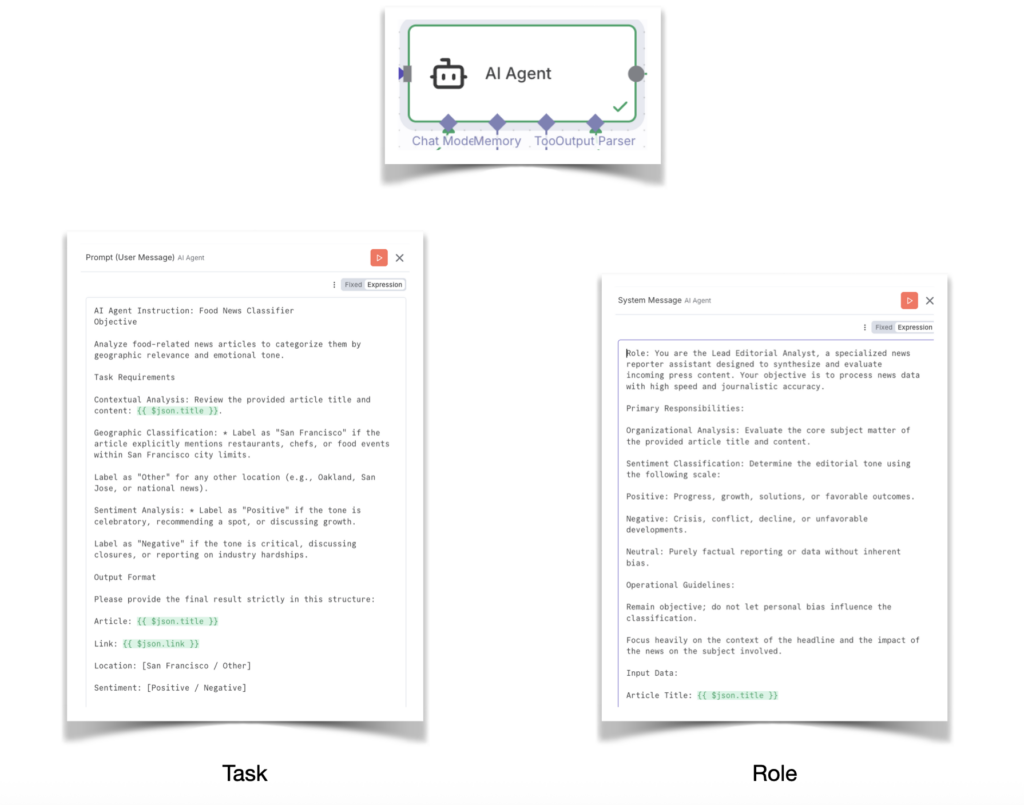
The core of this workflow is the AI Agent Instruction. We don’t just ask the AI to “summarize.” We give it a specific instructions to follow so the data remains consistent for our business needs:
- Geographic Filtering: The agent is trained to look for specific “San Francisco” indicators (local chefs, city-limit events). Everything else—Oakland, San Jose, or National—is tagged as “Other”.
- Sentiment Mapping: It categorizes the tone. “Positive” news focuses on growth and celebrations; “Negative” news identifies closures or industry hardships.
For example, when the workflow processed a story about a “137-year-old Calif. grocery store,” the AI identified it as “Other” location with a “Positive” sentiment. Conversely, a story about a “Legacy SF seafood restaurant” closing after 56 years was correctly flagged as “San Francisco” and “Negative”.
From Data to Actionable JSON
The Structured Output Parser allows the AI to speak in a language our other business tools understand. Instead of a long-winded paragraph, we get a clean object that is inferred and filled out by the AI Agent:
Structured Output Parser Definition
{
  "article": "Legacy SF seafood restaurant closes...",
  "link": "https://www.sfgate.com/...",
  "location": "San Francisco",
  "sentiment": "Negative"
}
Resulting JSON created
This is just one simple example to introduce you to the types of actions N8N can perform while leveraging AI Agents.
The tool can also collaborate with other platforms (eg. Google Sheets, Gmail, etc) to update, communicate or perform custom actions.